Google is suspending Google Business Profiles faster and on thinner grounds in 2026, and most of the profiles getting pulled are brand-new listings or ones that were just edited. A Google Business Profile suspension in 2026 usually traces back to one of three things: a keyword-stuffed business name, an address or category that does not match your other records, or a burst of quick edits that trips Google’s automated review. To get reinstated, you fix the violation first, then file a reinstatement appeal with proof your business is real. Most clean cases come back within a few days to about two weeks.
If your listing is already down, our GBP reinstatement service handles the appeal and documentation for you. If it is still live, this guide shows how to keep it that way. Renew Local runs Google Business Profile reinstatement, verification, and daily profile monitoring for local businesses across the United States, so the patterns below come from cases we work every week.
Why this matters right now: Search Engine Roundtable has reported repeated spikes in Google Business Profile suspensions over the past year, including a surge in late 2025 and another wave in May 2026 tied to user account-level restrictions. The common thread is that freshly created and freshly edited profiles have been getting flagged within days.
Key Takeaways
- A Google Business Profile suspension in 2026 is most often triggered by a keyword-stuffed name, a name/address/phone (NAP) mismatch, a wrong or over-broad category, or too many edits at once.
- “Suspended” and “account restricted” are different problems: one hits a single listing, the other can freeze every profile tied to your Google account.
- Reinstatement is an appeal, not a resubmission. Fix the violation, then file once with strong evidence. Most straightforward cases resolve in a few days to two weeks.
- After a suspension, edit slowly and one field at a time. Rapid changes are a common cause of a fresh flag.
- Consistent NAP and a name that matches your legal, signed, real-world business are the best prevention.
”Suspended” vs “Account Restricted”: What Each One Actually Means
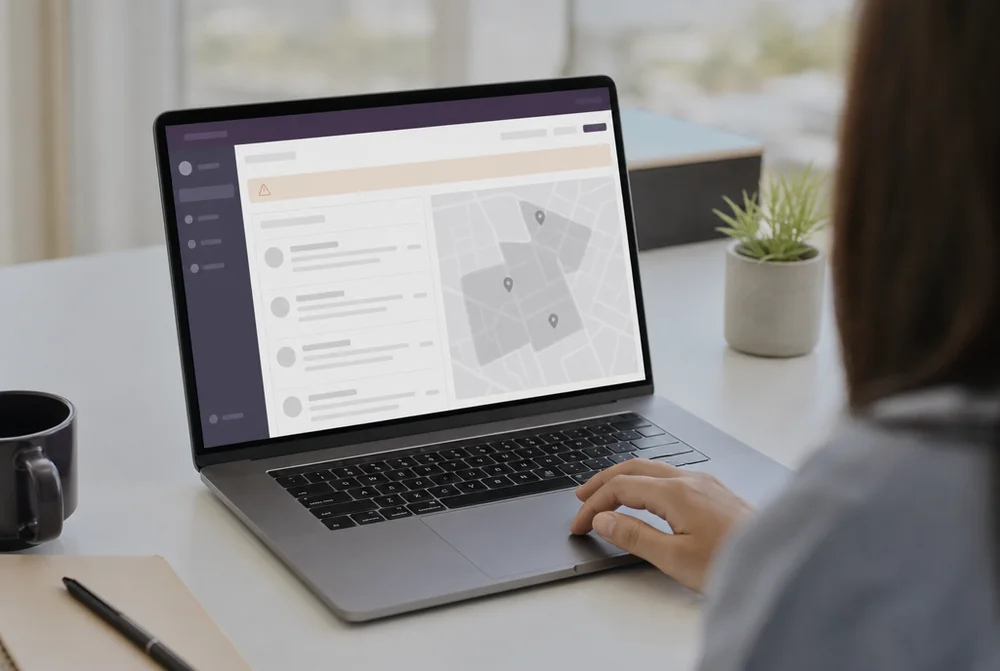
A suspension hits one listing; an account restriction can freeze every profile tied to your Google account. Knowing which one you have tells you where to fix the problem and how big the job is.
When a single profile is suspended, Google flagged that listing for a guideline violation. It either disappears from Google Maps and search (a hard suspension) or stays visible but locks you out of editing (a soft suspension). The listing still exists in your dashboard, and your reviews are held, not deleted.
An account-level restriction is broader. Google has flagged the Google account or the business group that owns the listings, so multiple profiles can go dark at once even if most of them never broke a rule. Search Engine Roundtable tied the May 2026 spike to exactly this kind of account restriction. If you manage several locations and they all vanished together, you are likely looking at an account issue, not one bad listing.
| Single profile suspended | Account restricted | |
|---|---|---|
| What is affected | One listing | Every profile on the account or group |
| Usual cause | A guideline violation on that listing | A trust or policy flag on the account |
| Where you see it | ”Suspended” banner on one profile | Multiple profiles down at once |
| Fix path | Reinstatement appeal for that listing | Appeal the account, then the listings |
Why did my Google Business Profile get suspended if I did not change anything? Usually because Google’s automated systems re-scanned an old listing against current rules, or because a signal outside the profile (a mismatched citation, a new duplicate, an account flag) tripped the check. The trigger is not always something you just did.
What Triggers a GBP Suspension in 2026
Most 2026 suspensions come down to a short list of triggers, and the top three are a stuffed business name, mismatched details, and too many rapid edits. Here is what each one looks like in practice.
Keyword-stuffed business name
This is the single most common trigger we see. Google’s name guidelines require your profile name to match your real-world business name, the one on your sign, your paperwork, and your website. A name like “Best Roofer Denver 24/7 Storm Damage” instead of “Summit Roofing LLC” gets flagged, often fast. Extra city names, services, and taglines all count as stuffing. Google states plainly that adding this kind of information can result in suspension.
Address and category mismatches
Your name, address, and phone number have to line up across your website, your legal registration, and your other listings. When your profile says one address and your Secretary of State filing or your Yelp page says another, that gap reads as a trust problem. The same goes for categories: picking a primary category that does not match what you actually do, or stacking on categories to grab more searches, invites a review. A law firm listing itself under “General Contractor” to catch extra traffic is asking for a flag.
Too many rapid edits
Editing a lot of fields quickly, especially on a new or recently reinstated profile, is a well-known trigger. Changing your name, address, category, and phone number in the same afternoon looks to Google’s systems like someone trying to game or hijack a listing. New profiles are the most fragile here, which is part of why the 2026 waves have caught so many freshly created listings.
Other repeat offenders include virtual offices or P.O. boxes used as a storefront address, duplicate listings for the same business, and review manipulation. Our top 5 factors behind a Google Maps suspension breaks those down in more depth. And no, you cannot buy your way to safety on the review side either. If you are tempted, read can you pay for Google reviews first.
How to Reinstate a Suspended Google Business Profile
Reinstatement is an appeal, not a resubmission, so the order matters: fix the violation, then file once with strong proof. Submitting an appeal before you have corrected the problem usually gets denied, and repeat denials make the case harder.

Here is the process step by step:
- Find the real reason. Read the suspension notice, then compare your profile against Google’s name and eligibility guidelines. Check your name, address, category, and phone against your website and legal records. If you cannot spot the violation, that is a sign to get a second set of eyes before you file.
- Fix it before you appeal. Change the business name to your legal name, correct the address, remove extra categories, or resolve the duplicate. Do not file the appeal until the fix is live.
- Gather proof. Google wants evidence your business is real and located where you say. Common documents: business license, a lease or utility bill in the business name, photos of your signage and storefront, and business registration paperwork.
- File the reinstatement request. Use the official Google Business Profile reinstatement form. Write a short, plain explanation of what was wrong and what you fixed, and attach your documents.
- Wait, then escalate if needed. Do not file a second appeal while the first is pending. If it is denied and you believe it was wrong, you can reply or reapply with stronger evidence.
How long does reinstatement really take? A clean single-profile case with good documentation often resolves in a few days to about two weeks. Complex cases, such as multiple suspensions, rebrands, or prior denials, run longer. If you would rather not handle it yourself, our reinstatement service builds and files the case and only charges when the profile is actually reinstated. Pricing on any reinstatement help varies by how tangled the case is, so ask for a written, itemized quote before you commit.
One warning: do not create a new profile to replace a suspended one. Google links new listings to the suspended one through address, phone, and ownership, and will usually suspend the new one too. The only real path is reinstating the original.
How to Edit Your Profile Safely (Without Triggering a Fresh Suspension)
Edit slowly and one field at a time, because rapid changes are one of the fastest ways to trigger a new suspension, especially right after a reinstatement. A profile that just came back is on a shorter leash, so treat it gently.
A few habits that keep edits safe:
- Change one important field, then wait. Give it a few days before the next major edit instead of batching name, address, category, and hours together.
- Match your other records before you save. If you update your address on the profile, update it on your website and citations too, so nothing looks out of sync.
- Keep the name clean. When you edit, do not “test” adding a keyword to the name. That is the fastest route back to a flag.
- Watch the profile after each change. Google sometimes reviews edits for days. Real-time monitoring catches a soft suspension or a rejected edit before you lose calls. Renew Local’s profile monitoring dashboard flags every edit and ranking drop as it happens.
This kind of light, safe upkeep is fine to do yourself. Anything involving a disputed address, a rebrand, or a repeat suspension is worth professional help rather than trial and error on a live listing.
Prevention Checklist: Keep Your NAP Consistent and Policy-Compliant
The best prevention is boring consistency: the same real business name, address, and phone number everywhere, matched to what Google’s guidelines allow. Run through this list now, before a wave catches you.
- Name matches reality. Use your real, signed, legal business name with no extra cities, services, or taglines.
- NAP is identical everywhere. Your name, address, and phone match across your website, Google, legal filings, and major directories, character for character.
- Category is accurate. Your primary category reflects what you actually do, with only genuinely relevant secondary categories.
- No fake or virtual address. Use a real location, or set up as a service-area business and hide the address properly.
- No duplicate listings. Search your name, phone, and address separately every month and merge or remove extras.
- Reviews stay legitimate. No buying, gating, or incentivizing reviews. Manage your reputation the compliant way.
- You are watching the profile. You get alerted to edits, suspensions, and ranking drops instead of finding out from a customer.
Run through it monthly. Most suspensions are preventable, and the ones that are not are far easier to fix when your records already line up.
Frequently Asked Questions
Why did my Google Business Profile get suspended?
Most 2026 suspensions come from a keyword-stuffed business name, a name/address/phone mismatch with your website or legal records, a wrong or over-broad category, or too many rapid edits. Sometimes an account-level flag or a re-scan of an old listing triggers it even when you changed nothing recently.
How do I reinstate a suspended Google Business Profile?
Fix the violation first, then file one reinstatement appeal through Google’s official form with proof your business is real (license, utility bill, signage photos, registration). Do not resubmit or create a new profile while the appeal is pending.
How long does a Google Business Profile suspension appeal take?
A clean, well-documented single-profile case usually resolves in a few days to about two weeks. Complex cases with multiple suspensions, rebrands, or prior denials take longer.
What triggers a GBP suspension the most?
A business name stuffed with keywords or locations is the most common trigger, followed by address and category mismatches and a burst of quick edits on a new or recently reinstated profile.
How do I prevent a Google Business Profile suspension?
Keep your name, address, and phone identical everywhere, use your real legal business name with no added keywords, pick accurate categories, avoid review manipulation, and monitor the profile so you catch problems early.
Related Resources:
- GBP Reinstatement Service - Pay-per-result reinstatement of suspended profiles with documentation and escalation handling.
- GBP Profile Monitoring Dashboard - Real-time alerts on every profile edit, suspension, and ranking drop.
- GBP Verification Service - Get verified correctly the first time to avoid downstream suspension issues.
- Top 5 Factors Behind a Google Maps Suspension - A deeper look at the specific triggers.
- Free GBP Health Checklist - A 60-second compliance and risk score for your profile.
Worried your profile is one edit away from a flag? Start monitoring your Google Business Profile and catch a suspension risk before it takes you offline.
Ready to protect your Google Business Profile?
AI-powered review management and profile protection. Start your free 7-day trial.